A way to disable the layout bar when in Mission Control?

I often enter mission control with a three or four fingered swipe and then drag windows up to the top of the screen to make them fullscreen (the native macOS functionality), however the layout bar gets in the way. Is it possible to disable it?
-

I second this because it makes mission control for moving between Spaces useless if you have Mosaic set to Layout->Docked.
If you engage mission control, a row to thumbnails for your different spaces appears along the top. Then if you grab a window and go to drag it to one of these thumbnails - the only way to move a window to another Space - Mosaic comes up and blocks the thumbnails.
Since windows are in a completely different mode in this situation, there really isn't any use for Mosaic. It could turn itself off while in Mission Control.
-

Ah I figured it out!
Solution 1:
You can change the Layout View (in the context menu on the OS menu bar) to anything other than Docked, i.e. Row, Column or Grid. You can then configure where the position of the Row/Column shows up in Preference > Positioning. See screenshot below.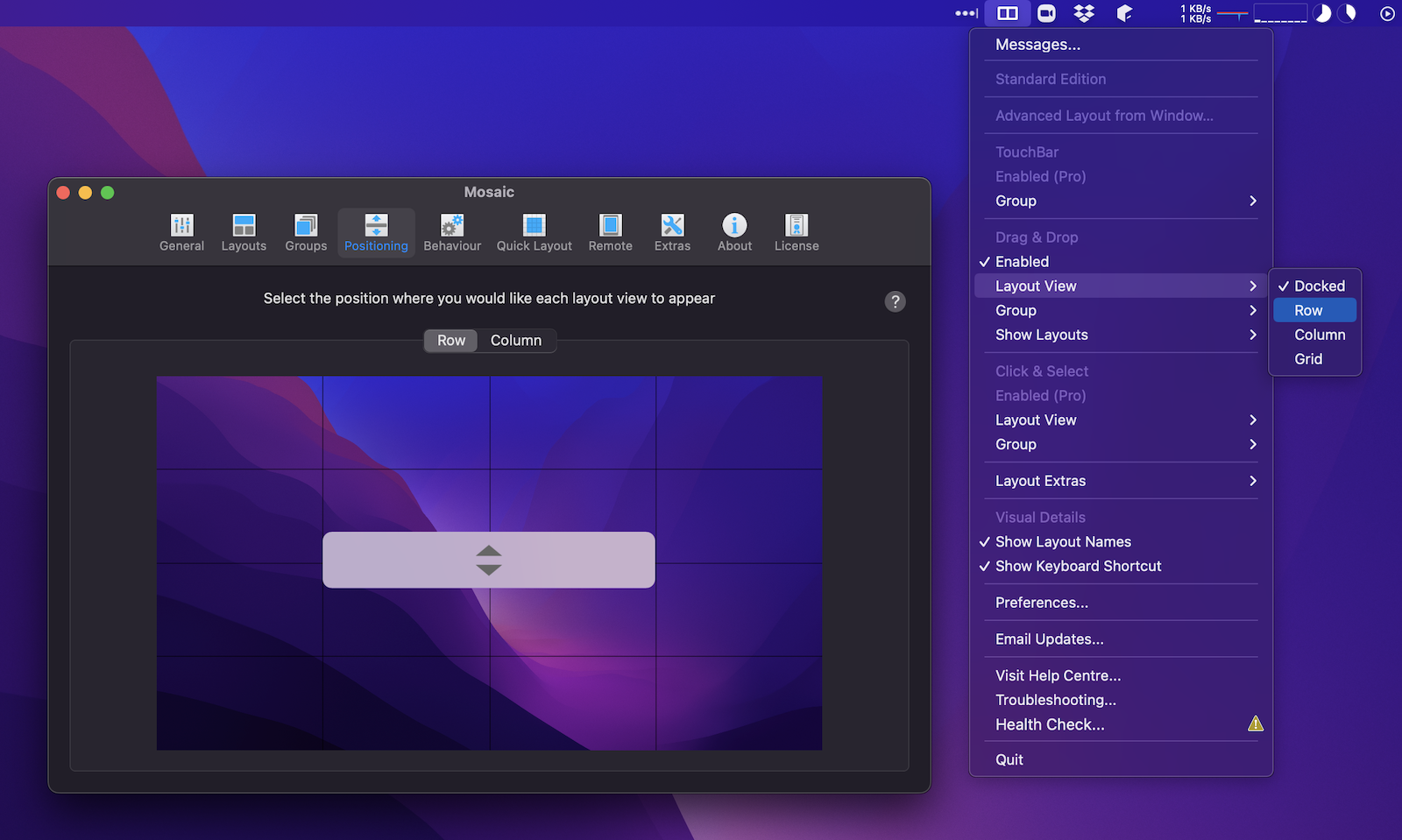
Solution 2:
You can change the event that triggers "Show Layouts" (from the context menu in the OS menu bar) and set it to "On Drag Window holding OPTION". See screenshot below.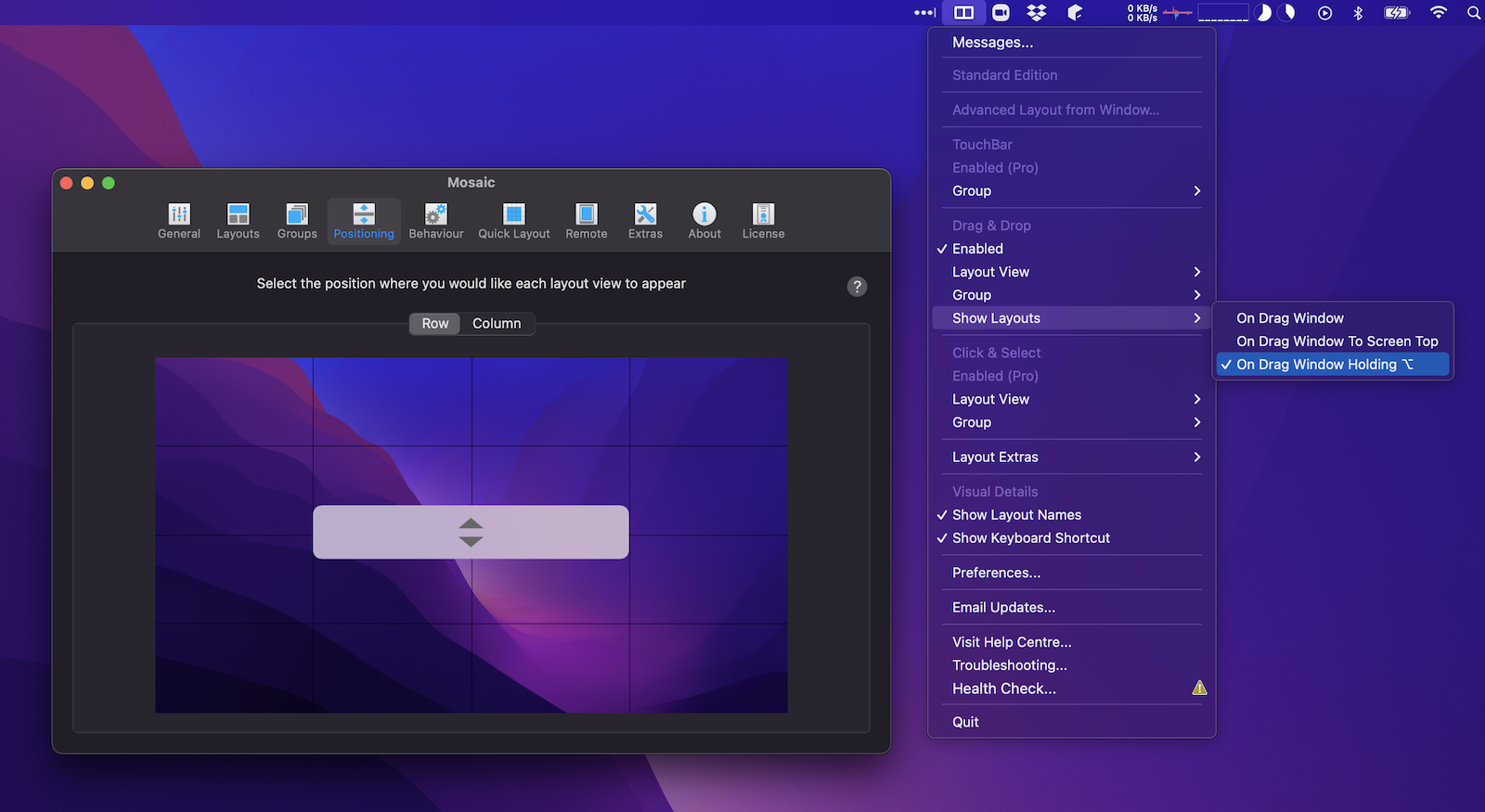

Please sign in to leave a comment.
Comments
4 comments